
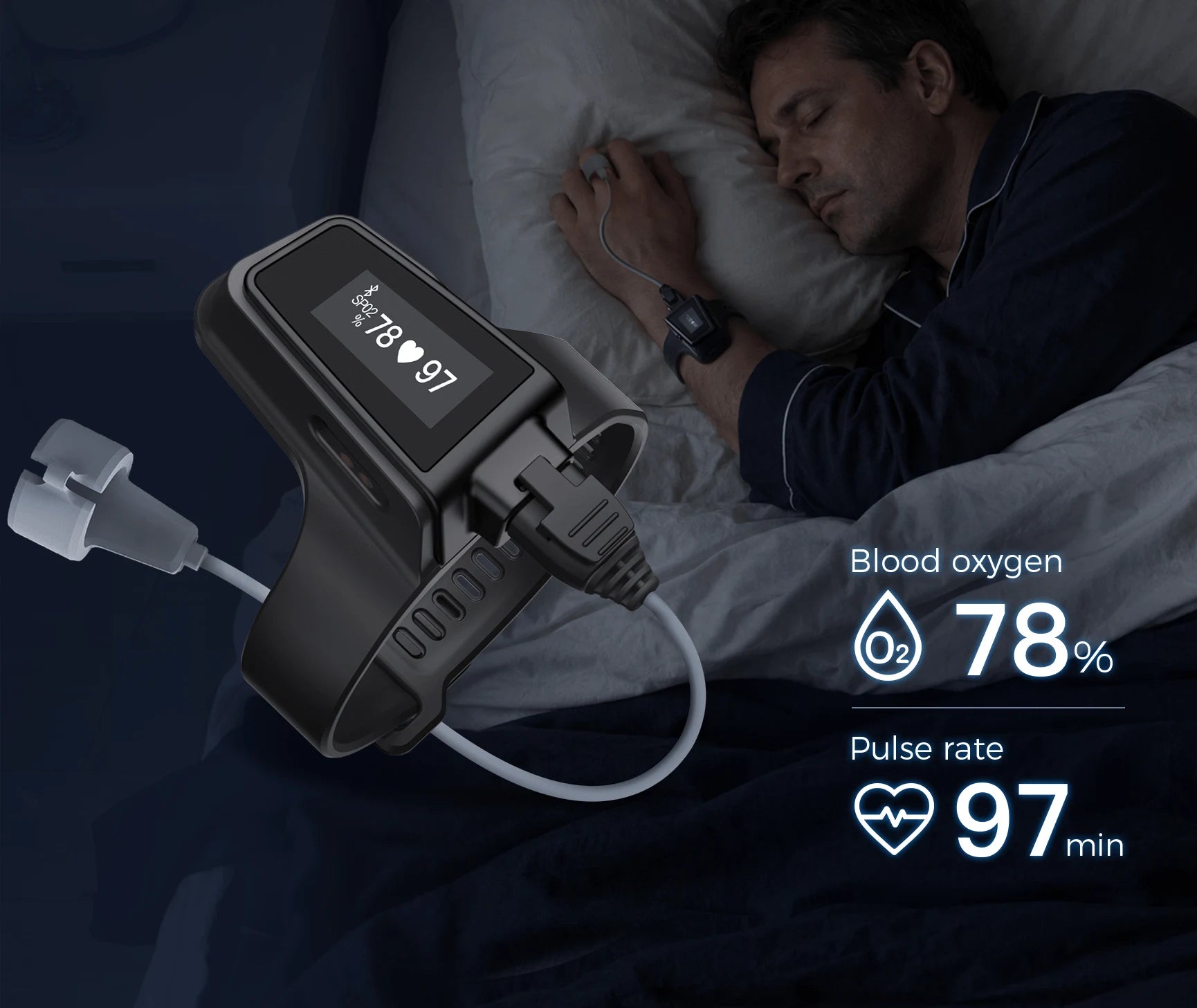
Wrist display and separate sensor
The Checkme O2 Ultra keeps the display and battery on your wrist. A cable connects to the finger sensor. Check how both parts fit and leave enough slack in the cable.
- Sensor
- Finger sensor connected to a wrist unit.
- Storage
- Up to four recordings of 12 hours each.
- Recording interval
- Every second, according to Wellue.
- Battery life
- Up to 100 hours per charge, according to Wellue.
The design separates what you wear on your finger from the display you read. The open sensor leaves your fingertip exposed, while the wrist unit holds the battery and screen. The probe detaches. If you need a replacement, check that it is compatible with the Checkme O2 Ultra and use the fitting instructions in the manual.
Before a session, check the wrist strap and leave enough slack in the cable for your hand to rest comfortably. If you need another sensor, confirm its connector and compatibility with Wellue for your exact unit. Check the probe and cable as part of the system.
What it saves during a session
Wellue specifies one data point per second and memory for four recordings of up to 12 hours each. Transfer the recordings you want to keep when you need to clear device memory.
Start a session on the device and review it later in ViHealth or O2 Insight Pro. The device records with your phone disconnected. You can look at oxygen and pulse trends or export a PDF or CSV report.
For several nights of records, sync regularly and date the files you keep. A longer chart helps you find when a change happened. When reviewing it, consider whether you moved or the sensor may have shifted during that part of the recording.
The unit saves the recording during the session. Sync afterward and verify that the period you want appears with the correct date and time range. Wellue describes PDF and CSV export from its tools. Check which format will be useful before sharing the data.
Battery life and session length
Wellue lists up to 100 hours per charge. That figure describes battery life. Each recorded session still has the device’s stated storage limit.
The magnetic charging port is separate from the probe connector, so the probe can stay attached while charging. Before planning several sessions, check battery life, the length of one file, and how many files the device holds.
Adjustable reminders can use vibration or sound. If you turn them on, the report can help you find when they triggered. Each marker reflects the limit you selected on the device and needs to be read in the context of the session.
If you plan to record several sessions, check both the battery level and available storage. Magnetic charging uses its own connection, separate from the sensor cable. Check that the retailer includes the cables and probe shown in the box for this version.
Checkme O2 Ultra or Wellue O2Ring
The standard black Wellue O2Ring keeps the components on your finger. The Ultra puts the display on your wrist and uses a different recording interval. Compare how you prefer to wear the sensor.
Decide where you want to wear the display and how you want to review the data. The standard O2Ring puts the display on your finger and leaves your wrist free. The Checkme O2 Ultra has a wrist display and a detachable probe. See the two reviews for their different storage and battery limits.
If you want to find a reminder in the history, Wellue marks these events on the oxygen or pulse graph. You can check the time in the app and see which reminder setting was enabled. Ask your health care professional about any reading or overnight record that concerns you.
What to check before buying
Check the Amazon.com listing for Wellue Checkme O2 Ultra Black and the exact variant before ordering. Delivery and availability depend on the offer and your ZIP code.
Match the listing title, packaging, and manual to Checkme O2 Ultra. Check the connector photos, included sensor, and charger before ordering a spare. For an occasional reading from a display, a fingertip model in the guide may take fewer steps.