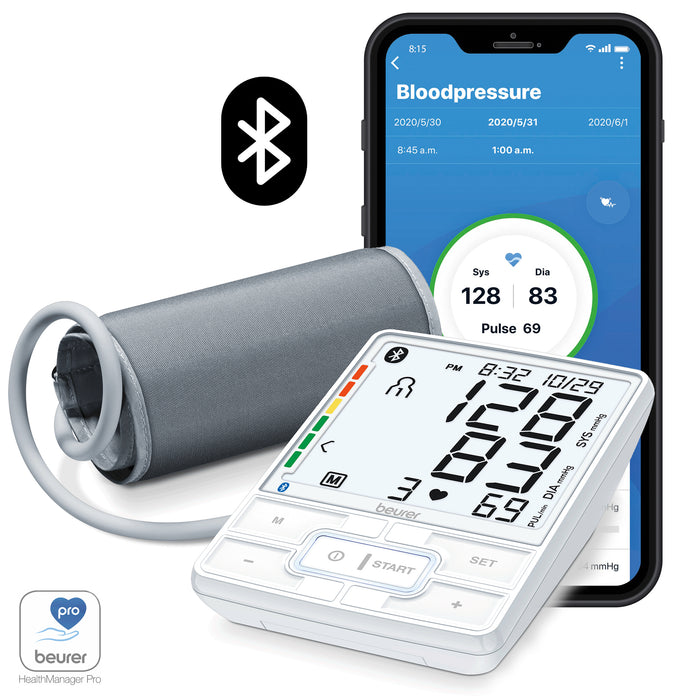
Start with cuff fit
Measure around your upper arm and compare that number with the cuff range for the exact model. All three monitors measure at the upper arm. The BM81 easyLock has a built-in cuff for arms from 9.4 to 15.7 inches. The other two use a separate cuff that connects with an air tube.
Cuff sizing and compatibility guide.
Start by measuring around your bare upper arm with a flexible tape. The BM31 and BM69W include a 22–42 cm cuff. The BM81 easyLock covers 24–40 cm. If two people share it, measure each arm separately. A 41 cm arm, for example, is within the stated range for the BM31 and BM69W and outside the BM81 range. Use the size specified for the model you buy.
Beurer comparison: cuff fit, memory, and Bluetooth
As an Amazon Associate I earn from qualifying purchases.
| Model and reference | Cuff style and fit | Users and memory | Phone connectivity |
|---|---|---|---|
 Beurer BM31 656.69 View on Amazon.comAffiliate link | Separate cuff, 8.7–16.5 in. (22–42 cm). | Two profiles, up to 60 readings per profile. | History on the monitor. |
 Beurer BM69W 665.79 View on Amazon.comAffiliate link | Separate cuff, 8.7–16.5 in. (22–42 cm), per Beurer. | 200 readings total across two profiles. | Bluetooth, beurer HealthManager Pro. |
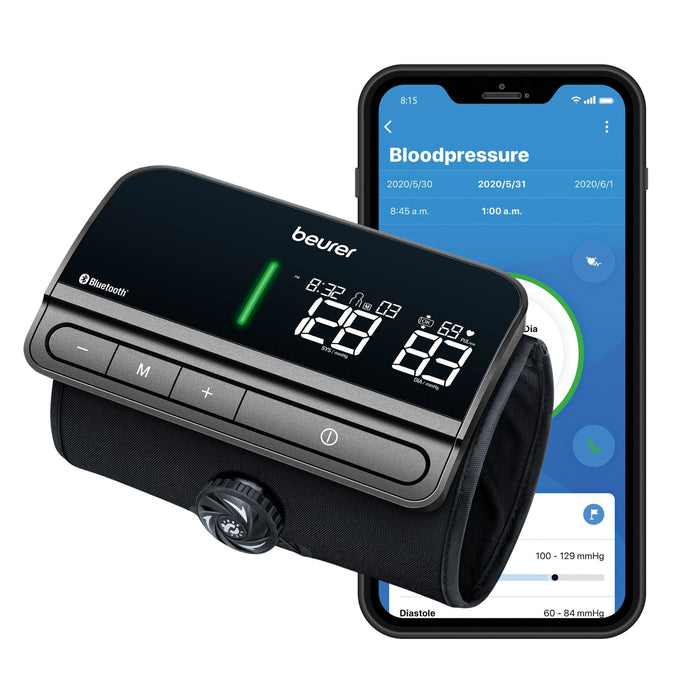 Beurer BM81 easyLock 655.71 View on Amazon.comAffiliate link | Built-in cuff, 9.4–15.7 in. (24–40 cm). | Two profiles, up to 120 readings per profile. | Bluetooth, beurer HealthManager Pro. |
On-device memory and app history solve different problems. You can review results on all three monitors. The BM69W and BM81 also transfer readings to beurer HealthManager Pro. The BM31 is the option in this table for keeping a display-based record without relying on a phone. If the app matters, check that Beurer lists both your phone and your model before buying.
Which Beurer fits your needs?
Beurer BM31
The BM31 shows systolic pressure, diastolic pressure, and pulse. The North American manual explains how to retrieve saved readings and averages for each profile. Use the memory button to review readings on the screen and check the cuff range before choosing it.
The manual distinguishes the latest measurement, the average of stored readings, and morning and evening averages. Select the right profile before reviewing the numbers. If you want to share them, log readings with their dates and times. This model is useful if you want on-device review and a separate cuff.
Beurer BM69W
The BM69W has a separate cuff and a backlit display. Its cuff position indicator helps during placement. You can review readings on the monitor and transfer them to the app over Bluetooth. Beurer lists 200 memory slots across the two profiles.
Along with a separate cuff, Beurer lists a large backlit display and a cuff position indicator. Those features may matter if you read the display in a dim room or want feedback on fit before starting. After syncing, check that the app shows the reading and profile you expected. If someone else uses the monitor, agree who uses each memory bank.
Beurer BM81 easyLock
The BM81 easyLock combines the monitor and cuff in one piece. If you prefer a monitor without a tube, compare its 9.4 to 15.7-inch cuff range with your arm circumference. Review readings on the monitor or sync them to the app.
The integrated fastener changes how you put the device on and where you read the display. If you measure on your own, check whether you can see the numbers and use the fastener with your arm supported. The manual describes dated and timed readings stored for each user. The app lets you transfer that history to your phone for review.
Three situations that can change your choice
- You want to view and store readings on the monitor. The BM31 shows the numbers on its display and stores two separate histories. If you share it, check which user profile is selected.
- You want to review your history in an app. The BM69W and BM81 easyLock sync with beurer HealthManager Pro. Check that you can install the app on your phone and review the pairing instructions.
- You’re close to the cuff size limit. Check the size on the box and review the fitting instructions. A built-in cuff with a 15.7-inch limit covers a different range from a separate cuff that fits up to 16.5 inches.
To choose between the two Bluetooth models, compare cuff design first. The BM69W keeps the monitor on the table and the cuff on your arm. With the BM81, both are on your arm. If your arm is near the limit, confirm the measurement and the manual’s cuff range. If sharing readings matters, decide whether you will use the display, paper, or an app and check that the monitor supports that workflow.
What to check before you buy
Do I need a phone to take a reading?
All three monitors show the result on the screen and store readings. With the two Bluetooth models, the app lets you transfer and review the history.
Does the cuff position indicator confirm the reading was taken correctly?
The BM69W indicator helps with cuff placement. Follow the posture and instructions in the manual. If you’re taking readings as part of a care plan, ask your healthcare team how to record them.
What should I check in the Amazon.com listing?
Check the model number and included cuff. Confirm the seller, the box contents, and delivery to your ZIP code.
Video: Memory and Bluetooth on blood pressure monitors
See the difference between readings stored on the monitor and the history you can review on your phone.
On Amazon.com, match the exact model and compare the listing to the box photos. For a replacement cuff, identify the BM31 or BM69W accessory from its own documentation. The BM81 has an integrated design. Before buying for a particular feature, also check how you read the current result, whether you can review older readings on the display, and which app Beurer names for that version.